
To move your OwnCDN installation including settings and data, you first need to back up your data and settings - click here for details.
Then install OwnCDN on the new computer and restore the data and settings (see link above).
Licensing
It is not allowed to use the same license key on more computers than licensed for - for any period of time, no matter how short this may be.
Therefore, if your OwnCDN license is activated on the old computer, you need to deactivate OwnCDN on the old computer (uninstall or delete files) before you activate the license on the new computer.
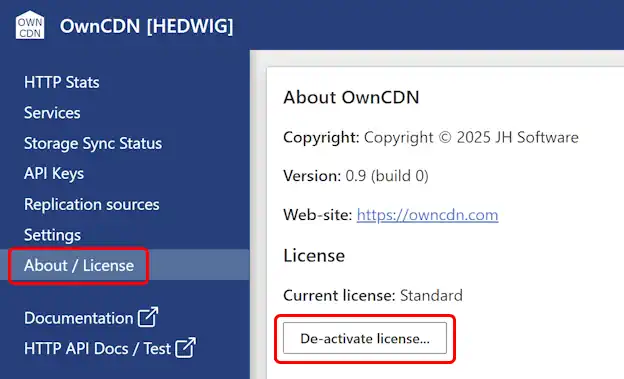
You can deactivate the license from the OwnCDN web UI, under "About / License", clicking the "De-activate license..." button:
If you need to run both the old and the new OwnCDN instances during a transition period, you can use a trial license on the new computer during this time.